
Glory Casino Mobile App and APK Download
The mobile app lets players in Bangladesh deposit and withdraw in taka through bKash, Nagad, Rocket and UPay or use cryptocurrency, browse the game lobby and manage promotions on a phone. Players who prefer not to install anything can use the mobile website, and balances and bonuses stay in sync between the two.
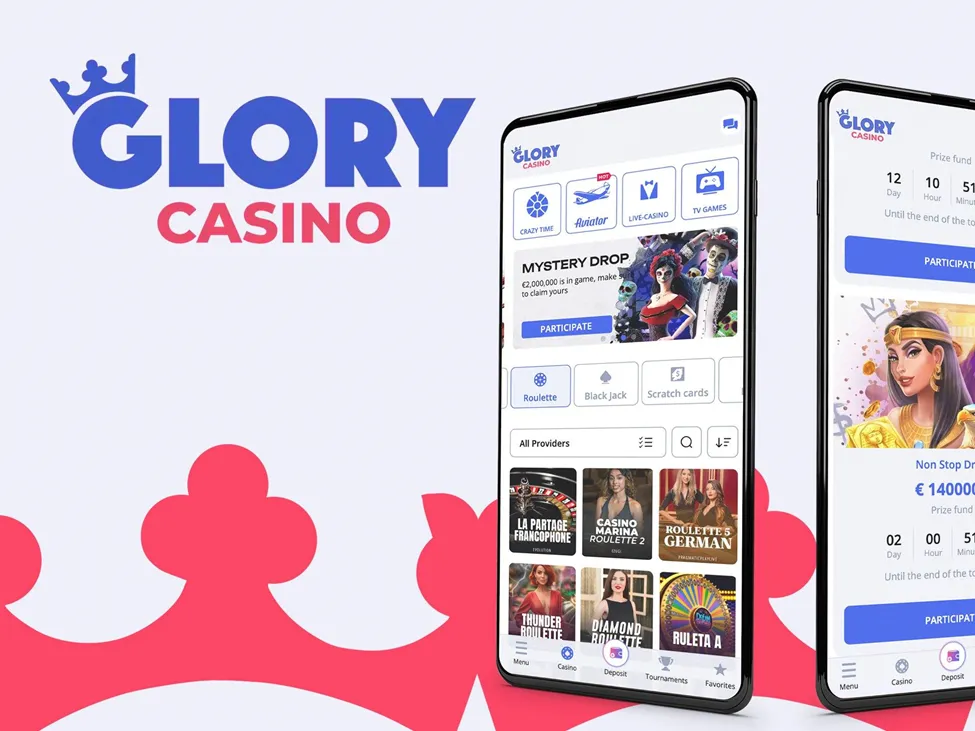
This page explains how the Android file is installed, what the app offers, how it compares with the mobile site and which security habits keep the account safe. The information applies to the current version of the app; details such as file size or supported systems can change with updates.
Glory Casino App Features
The Glory Casino app offers the full lobby: slots, table and card games, live dealer tables, roulette, blackjack, baccarat, keno and more. Favourite games can be saved for quick access, and demo mode lets players practise with virtual credits before switching to real money. Promotion pages explain wagering, maximum bet, eligible games and expiry.
Everything available on the Glory Casino online website can be done in the app as well. The features players use most often are these:
- Full game catalogue with demo mode for most slots
- Cashier in BDT with bKash, Nagad, Rocket, UPay and crypto
- Bonus progress and active promotions in the profile
- Optional notifications about new games and offers
- In-app chat with the support team
Notifications can be switched off at any time in the settings, and the app remembers recently played games so that a session can be resumed quickly. Players who download Glory Casino on more than one device use the same login details everywhere.
The app does not change game rules or odds: outcomes come from the same certified random number generators and live studios as on the website. Its advantage is speed — the lobby opens from the home screen, and the session usually stays signed in between visits.
Glory Casino APK Installation
Google Play does not list real-money casino apps in many regions, so Android users install the app from a file. The Glory Casino APK download link is published on the official website and can also be requested from support. A Glory Casino Bangladesh download offered on another site may be an altered copy, so the official source is the only one to use.
Android shows a prompt before installing an app from outside the store. Allow installation only for the browser you used and only for this file, rather than lowering security for the whole phone. The installation follows this order:
- Open the official website in the phone’s browser.
- Tap the Glory Casino download app button and wait for the file to save.
- Open the APK from the notification bar or the Downloads folder.
- Allow installation from this browser when Android asks and confirm.
- Launch the app and sign in with your account details.
After installation, restore your normal security settings by removing the permission given to the browser. If the installer does not open, the file is usually incomplete; deleting it and repeating the Glory Casino app download from the official page fixes the problem in most cases.
A quick way to confirm the file is genuine is to compare its size and version with the details shown on the official page. A Glory Casino APK that differs noticeably from them should be deleted and downloaded again from the correct source rather than installed.
On iPhone and iPad, search the App Store for the official listing where it is available in your region and check the developer name before installing. If it is not listed, the mobile site in Safari or Chrome provides the same games, cashier and account settings without any download.
Device Requirements and Updates
The app runs on most modern Android phones, including mid-range models. A stable connection matters more than a powerful processor, especially for live dealer streams, and around 100 MB of free storage is usually enough for a Glory Casino Bangladesh download and the first game data.
Updates are announced inside the app. Installing them means a new Glory Casino download from the official page, placed over the current version without losing any account data. Searches for “Glory Casino download APK” on other sites often lead to outdated or modified files, so updates should always come from the same official source as the first installation.
Every Glory Casino APK download should start from the official domain, even when a search result or a message in a messenger offers a direct link. The same rule applies to a Glory Casino Bangladesh download shared on forums: if the source cannot be confirmed, the file should not be installed.
App and Mobile Browser
Both routes give access to one account, so the choice depends on habits. The app keeps you signed in, opens the lobby faster and can send notifications; the browser needs no installation, takes no storage and is always on the latest version. Players can use Glory Casino apps on a phone and the website on a computer without any loss of balance or progress.
For players who visit occasionally or use a shared device, the mobile site is usually the more practical option. Those who play daily often prefer the app for its speed. Trying the app costs nothing, and the Glory Casino app download can be removed again at any time without affecting the account.
Before the Glory Casino app download, it is worth closing unused apps and checking that the phone’s operating system is up to date. Older phones run slots and table games without trouble, while live dealer streams benefit most from a fast and stable connection.
Casino Glory Account Access in the App
Registration in the app takes a minute: enter an email address, create a strong password, choose BDT, confirm that you are at least 18 and accept the terms and conditions. Existing players simply sign in with the same details they use on the website, and the balance, history and bonus status appear immediately.
To enable smooth withdrawals, the casino may ask for verification: a clear photo of a government-issued ID and a recent proof of address. According to the platform, reviews usually take a few business days, and legible documents with matching names help avoid delays.
Deposits, Withdrawals and Methods
Open the cashier to fund the account in BDT through bKash, Nagad, Rocket or UPay. For crypto, choose an asset and network, copy your deposit address and send the amount from your own wallet. To cash out, select a method, enter an amount within the limits shown and submit the request; using the same method as the last deposit can speed things up.
Fees, if any, limits and conversion details are shown in the cashier before confirmation. The table below summarises the methods available in the app:
| Method | Direction | Typical Speed | Notes |
|---|---|---|---|
| bKash | Deposit and withdrawal | Usually within minutes | Local mobile wallet |
| Nagad | Deposit and withdrawal | Usually within minutes | Local mobile wallet |
| Rocket | Deposit and withdrawal | Usually within minutes | Bank-linked wallet |
| UPay | Deposit and withdrawal | Usually within minutes | Check limits in the cashier |
| Cryptocurrency | Deposit and withdrawal | Network-dependent | Network fees and confirmations apply |
App Security and Support
If a payment shows an error or a withdrawal stays pending longer than usual, take a screenshot with the time and method and contact support with the transaction reference from the cashier. Support is available through in-app chat, Telegram, Instagram, phone and email. Connections are encrypted, and the platform states that it operates under a Curacao licence.
Outcomes are random and never guaranteed, and every bonus has conditions, so the terms and the privacy policy are worth reading. Deposit and loss limits, session reminders, cooling-off periods and self-exclusion can be set in the account. Never share passwords or verification codes with anyone who contacts you privately.
If the phone is lost or replaced, change the account password from another device and sign out of old sessions in the profile. Reinstalling the app on a new phone only takes a fresh download from the official page and the usual login details.